CPM schedule health checks
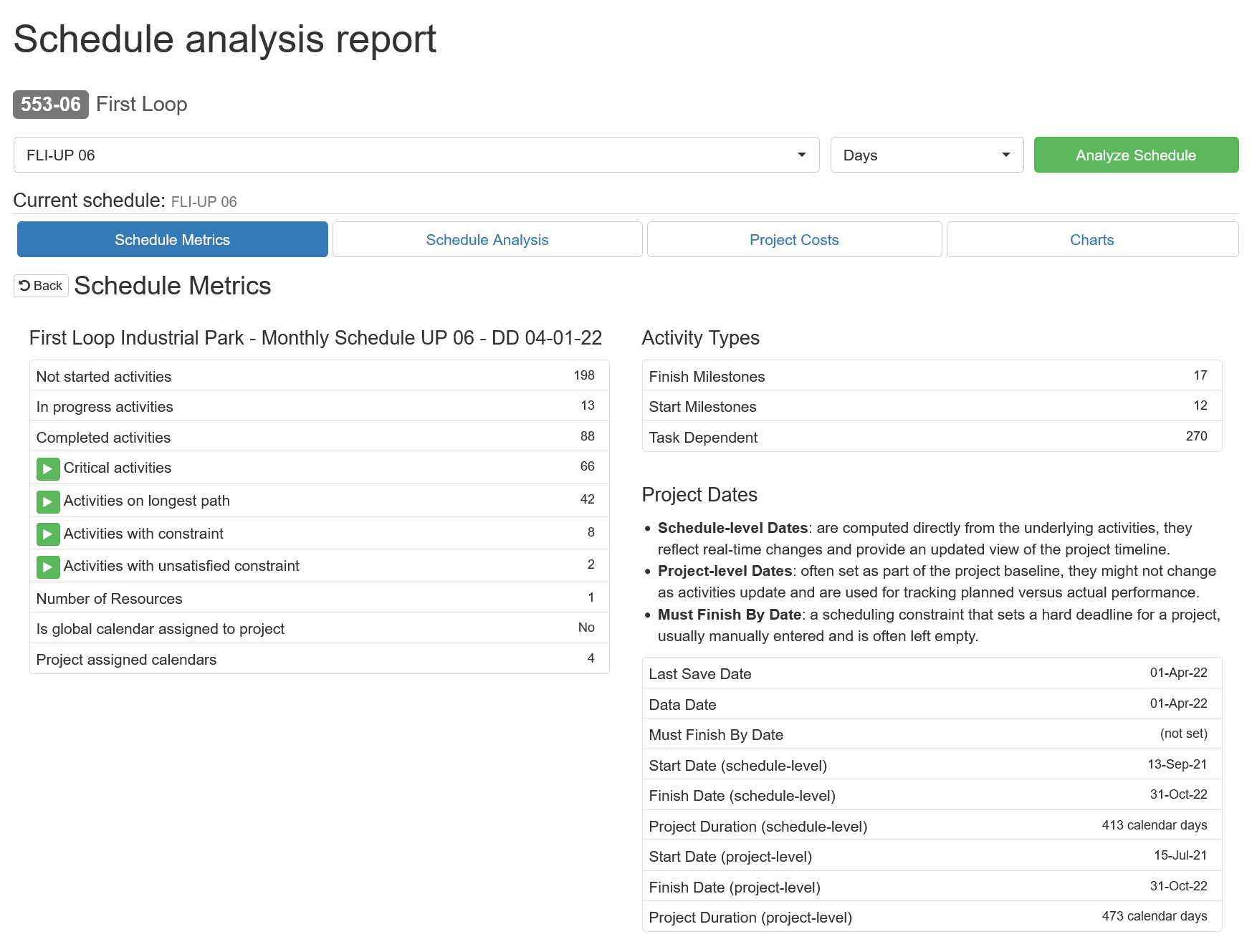
Surface missing predecessors and successors, relationship lag, constraints, future actual dates, negative float, and out-of-sequence work.
Explore the P6 schedule analyzerPrimavera P6 XER schedule intelligence
Keep your baseline and every monthly XER update in one project history. Review logic changes, longest-path shifts, milestone slippage, and missed dates. Follow cost trends and changes in projected completion without rebuilding the analysis in spreadsheets.
First month free on Pro with code FIRSTMONTH.

Browser-based schedule analyzer
Schedule Tracker works alongside Primavera P6. It keeps successive XER updates in one project history and produces compact reports from that record for schedulers, project managers, CEI teams, and claims professionals.
Surface missing predecessors and successors, relationship lag, constraints, future actual dates, negative float, and out-of-sequence work.
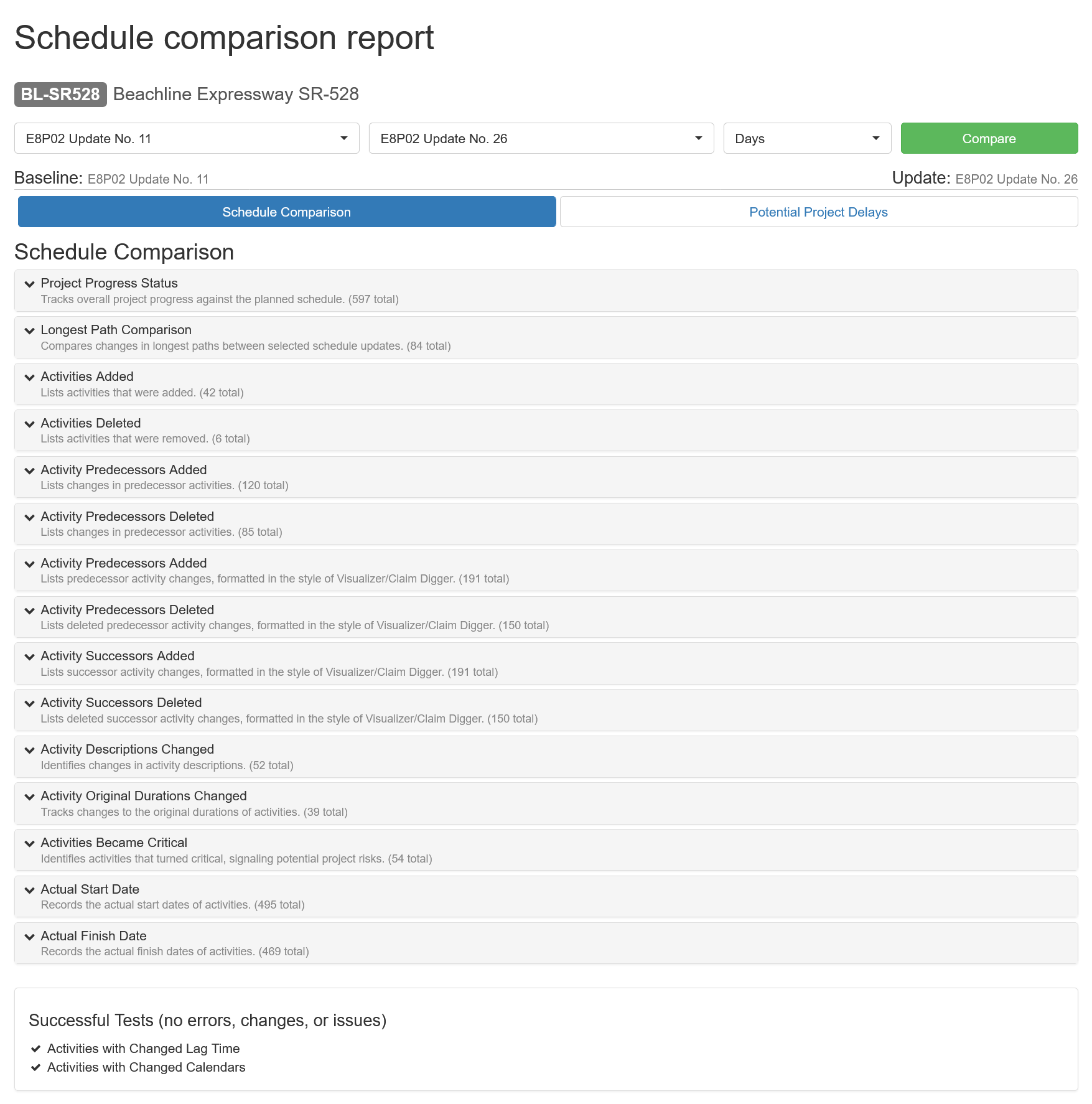
Explore the P6 schedule analyzerIdentify activities and relationships that were added, deleted, renamed, resequenced, or assigned a different duration or calendar.
Explore schedule comparisonCompare the driving path between updates, see activities entering or leaving it, and review changes in total float and completion forecasts.
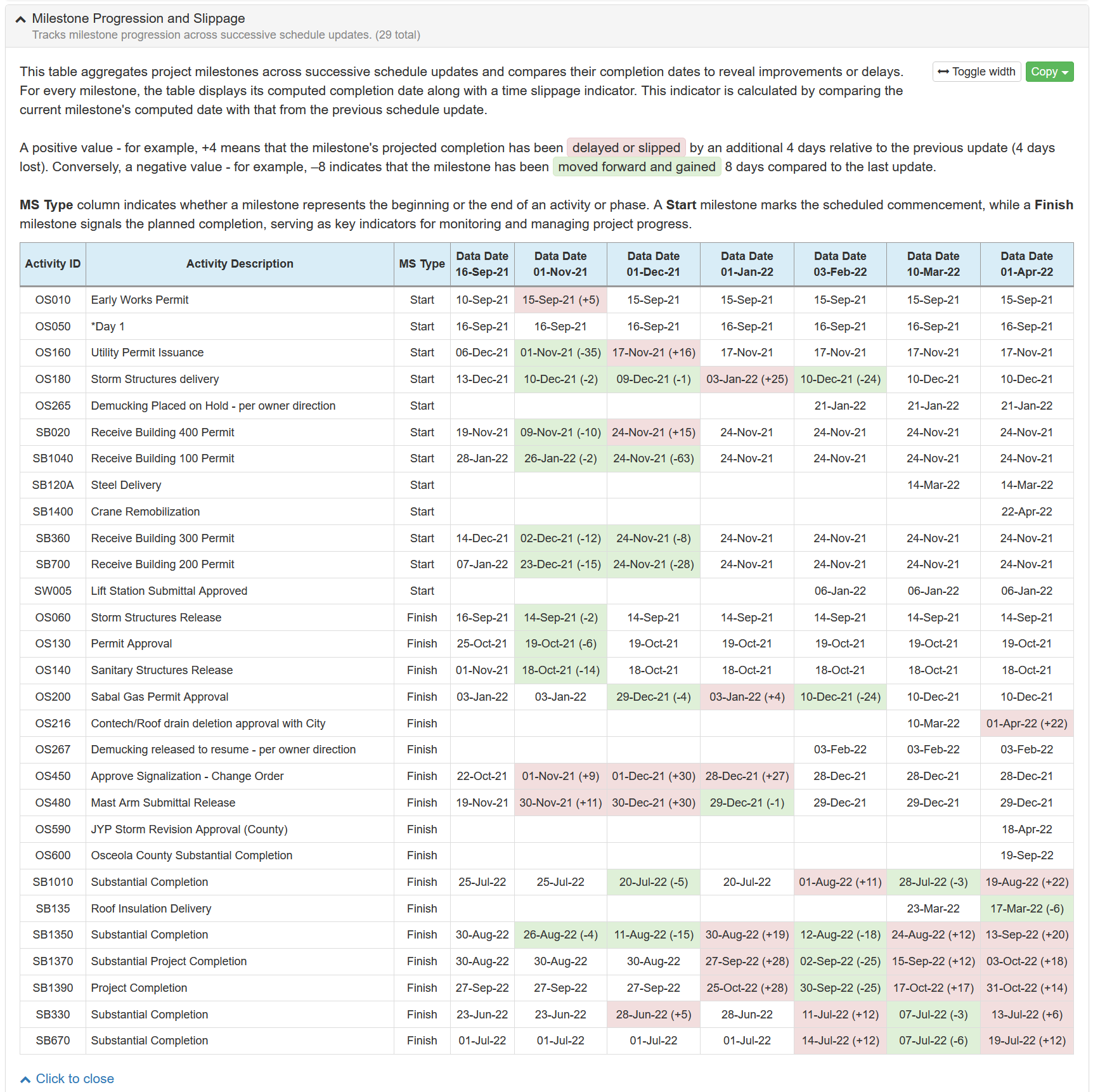
Review path analysisFollow milestone dates across the life of a project instead of comparing only the latest two files.
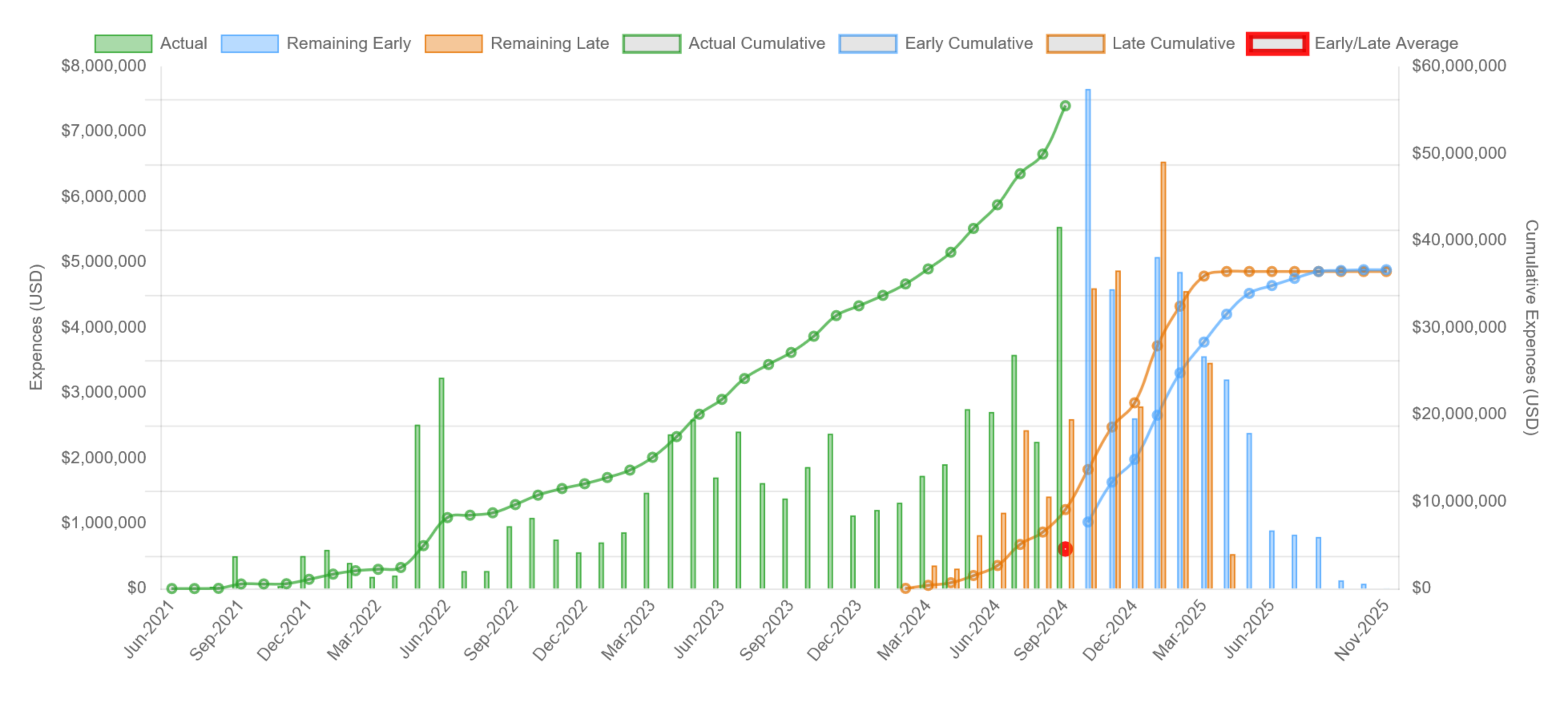
See delay review featuresInspect working calendars and holidays, resource assignments and overallocations, activity costs, and project cost curves.
See available reportsCopy concise tables and charts into progress reports, meeting notes, schedule reviews, and construction delay documentation.
Explore project controls reportingOne record for every reporting cycle
Upload one XER schedule or bring recurring updates into the same project. Schedule Tracker organizes each version by project and data date.
Run single-schedule checks, compare any two updates, or follow performance and milestone trends from baseline to latest.
Use compact, readable tables and charts instead of a mile-long change dump or a manually maintained workbook.
See the actual reports
Open any screenshot to inspect the full report view.
Built from real schedule reviews
Schedule Tracker was developed by Alexandra Kay, PE, CCM, MBA, a licensed Professional Engineer, practicing CEI Senior Project Engineer, and former senior Primavera P6 scheduler. Since 2017, it has been used, trusted, and tested by project professionals working on major Florida infrastructure projects, including work for the Florida Department of Transportation (FDOT), Central Florida Expressway Authority (CFX), Jacksonville Transportation Authority (JTA), and other public agencies.
Meet the founderEmployer names identify where individual users work, and agency names describe project context. They do not imply employer or agency endorsement, sponsorship, affiliation, procurement, or organization-wide adoption.
Make every update easier to explain
Start with your existing XER files and add each update as the project continues. No P6 database connection or Windows-only analysis tool required.